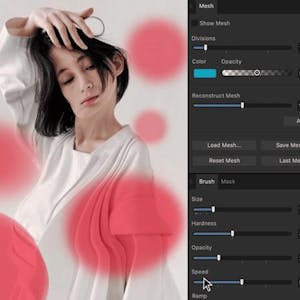
Master Retouching in Affinity Photo
$49
ENROLL NOWCourse Overview
What You'll Learn
- Retouching is one of the most essential and powerful skills in photo editing—and in this course, taught by Ally, the creator of Affinity Revolution, you’ll master it from start to finish using Affinity Photo.
- Whether you want to remove distractions, enhance facial features, or guide a viewer’s eye through light and shadow, this course will give you the skills to transform any image with confidence.
- Designed for photographers, digital artists, and hobbyists who already have a basic understanding of Affinity Photo, this course will take your editing workflow to a professional level.
Retouching is one of the most essential and powerful skills in photo editing—and in this course, taught by Ally, the creator of Affinity Revolution, you’ll master it from start to finish using Affinity Photo. Whether you want to remove distractions, enhance facial features, or guide a viewer’s eye through light and shadow, this course will give you the skills to transform any image with confidence. Designed for photographers, digital artists, and hobbyists who already have a basic understanding of Affinity Photo, this course will take your editing workflow to a professional level. Taught by Affinity Revolution, you'll follow a structured, hands-on approach to mastering advanced retouching tools and techniques. By the end of this course, you’ll be able to: * Remove blemishes, flyaway hairs, and background distractions using tools like the Clone Brush and Frequency Separation. * Use Dodging & Burning to control lighting and draw attention to key areas of your image. * Apply your retouching skills in real-world projects that simulate professional editing scenarios. To get the most out of this course, you should be comfortable navigating Affinity Photo and using basic editing tools. If you’re ready to take your photo editing to the next level—join us in the class! Instructor bio: Ally, the creator of Affinity Revolution, has been teaching people how to use the Affinity creative suite since 2016. Through her easy-to-follow tutorials on Affinity Photo, Designer, and Publisher, she focuses on delivering maximum value in minimal time—making complex tools feel simple and approachable. Ally knows that learning Affinity can feel overwhelming at first, but with her step-by-step guidance, you’ll quickly gain confidence and master the skills to bring your creative projects to life.
Course FAQs
Is this an accredited online course?
Accreditation for 'Master Retouching in Affinity Photo' is determined by the provider, Skillshare. For online college courses or degree programs, we strongly recommend you verify the accreditation status directly on the provider's website to ensure it meets your requirements.
Can this course be used for continuing education credits?
Many of the courses listed on our platform are suitable for professional continuing education. However, acceptance for credit varies by state and licensing board. Please confirm with your board and {course.provider} that this specific course qualifies.
How do I enroll in this online school program?
To enroll, click the 'ENROLL NOW' button on this page. You will be taken to the official page for 'Master Retouching in Affinity Photo' on the Skillshare online class platform, where you can complete your registration.