Premiere Pro Pt. 2 — Transitions, Graphics & Animation
$49
ENROLL NOWCourse Overview
What You'll Learn
- You’ll also learn how to integrate text transcription and use professional design techniques to make your videos stand out.
- This course is ideal for beginners who have completed Part 1 or anyone with a basic understanding of Premiere Pro’s interface and workflow.
- After graduating from film school in 2012, Jordy discovered his passion for teaching online and has since focused on creating engaging, hands-on learning experiences.
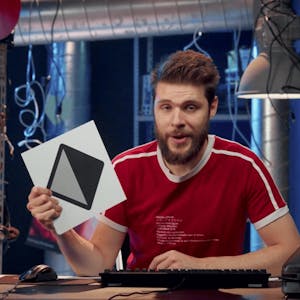
Ready to take your editing further? In this course, Jordy Vandeput shows you how to transform simple edits into polished, engaging videos using transitions, text, and motion graphics. You’ll explore Premiere Pro’s creative tools — from templates and masking to custom transitions and animations. You’ll also learn how to integrate text transcription and use professional design techniques to make your videos stand out. By the end of this course, you’ll be able to: * Apply and customize transitions to create smooth storytelling flow. * Design and animate professional-looking text and graphics. * Use masking and templates to add unique visual effects. This course is ideal for beginners who have completed Part 1 or anyone with a basic understanding of Premiere Pro’s interface and workflow. If you’re looking to add style, creativity, and personality to your videos, this course will give you the tools and confidence to do it. *Please note: Adobe Premiere Pro software is required to complete this course Instructor bio: Jordy is a filmmaker, video editor, and educator, best known for hosting Cinecom, one of the largest YouTube channels on filmmaking and video editing with over 2.5 million subscribers. After graduating from film school in 2012, Jordy discovered his passion for teaching online and has since focused on creating engaging, hands-on learning experiences. Unlike traditional education, Jordy’s classes emphasize practical skills and creative problem-solving, aiming to deliver an immersive class experience rather than just information. His goal is to help learners gain confidence and mastery in filmmaking and video editing.
Course FAQs
Is this an accredited online course?
Accreditation for 'Premiere Pro Pt. 2 — Transitions, Graphics & Animation' is determined by the provider, Skillshare. For online college courses or degree programs, we strongly recommend you verify the accreditation status directly on the provider's website to ensure it meets your requirements.
Can this course be used for continuing education credits?
Many of the courses listed on our platform are suitable for professional continuing education. However, acceptance for credit varies by state and licensing board. Please confirm with your board and {course.provider} that this specific course qualifies.
How do I enroll in this online school program?
To enroll, click the 'ENROLL NOW' button on this page. You will be taken to the official page for 'Premiere Pro Pt. 2 — Transitions, Graphics & Animation' on the Skillshare online class platform, where you can complete your registration.