Use SharePoint & Power Virtual Agent to Create Smart Chatbot
$9.99
ENROLL NOWCourse Overview
What You'll Learn
- It is a common situation that, in any company, employees want to get general information about a topic they are interested in, for example, how many vacation days they have, when was the company founded, do they work on weekends, are there any dressing rules, who is the CEO and so on.
- Of course, there is always a person or multiple persons in the company who can give those answers, but there is a much better way of providing your colleagues with information they need then chasing those all-knowing employees for answers, and that is a fully automated chatbot created with Power Virtual Agent, which is one of the 4 main parts of the Power Platform.
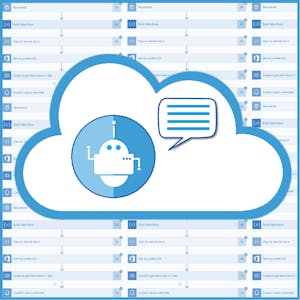
- In this 35-minutes long guided project, “Use SharePoint & Power Virtual Agent to Create Smart Chatbot”, you will create a SharePoint site and list, add some data to it and create a Power Virtual Agent chatbot which will automate the information flow from your company to the employees.
It is a common situation that, in any company, employees want to get general information about a topic they are interested in, for example, how many vacation days they have, when was the company founded, do they work on weekends, are there any dressing rules, who is the CEO and so on. Of course, there is always a person or multiple persons in the company who can give those answers, but there is a much better way of providing your colleagues with information they need then chasing those all-knowing employees for answers, and that is a fully automated chatbot created with Power Virtual Agent, which is one of the 4 main parts of the Power Platform. In this 35-minutes long guided project, “Use SharePoint & Power Virtual Agent to Create Smart Chatbot”, you will create a SharePoint site and list, add some data to it and create a Power Virtual Agent chatbot which will automate the information flow from your company to the employees. Once the chatbot is up and running, you and your colleagues won’t have to bother other colleagues in person or send them emails or texts anymore, you will be able to have a nice and easy-going conversation with the bot behind the chatbot and find out the information you need. Since this project uses Office 365 services like SharePoint and Power Virtual Agent (part of the Microsoft Power Platform), you will need access to a Microsoft account and a Microsoft 365 Developer Program subscription account. In the video at the beginning of the project you will be given instructions on how to sign up for both. If you are ready to create your artificial co-worker which will help you and your colleagues provide information to others, then this project is for you! Let's get started!
Course FAQs
Is this an accredited online course?
Accreditation for 'Use SharePoint & Power Virtual Agent to Create Smart Chatbot' is determined by the provider, Coursera Project Network. For online college courses or degree programs, we strongly recommend you verify the accreditation status directly on the provider's website to ensure it meets your requirements.
Can this course be used for continuing education credits?
Many of the courses listed on our platform are suitable for professional continuing education. However, acceptance for credit varies by state and licensing board. Please confirm with your board and {course.provider} that this specific course qualifies.
How do I enroll in this online school program?
To enroll, click the 'ENROLL NOW' button on this page. You will be taken to the official page for 'Use SharePoint & Power Virtual Agent to Create Smart Chatbot' on the Coursera Project Network online class platform, where you can complete your registration.